The goal
Wire the RGB LED and write a setColor() function that can make any color.
You'll learn
- ■How an RGB LED mixes colors
- ■analogWrite() and brightness from 0 to 255
- ■Writing a function with inputs
1You'll need
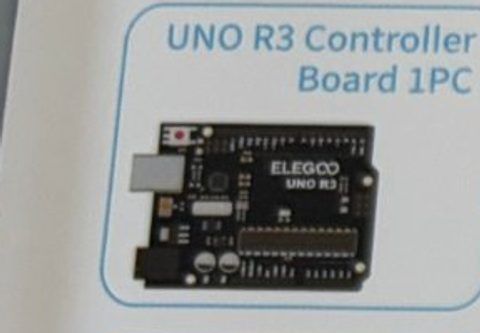
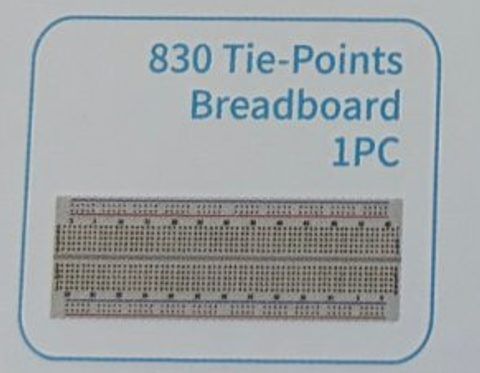

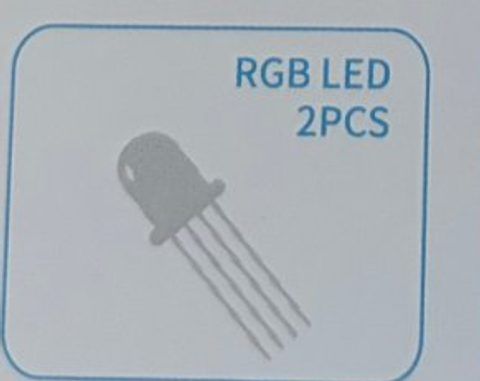
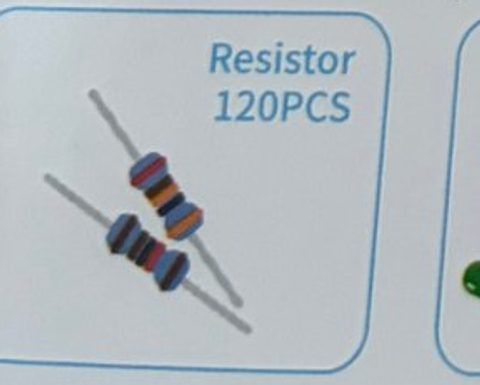

2Wire it up
The RGB LED has four legs. Hold it with the longest leg second from the left. From left to right the legs are: RED, GND (longest), GREEN, BLUE.
Pins used on the Arduino
- 1Pin 9 · Resistor → RED leg
- 2Pin 10 · Resistor → GREEN leg
- 3Pin 11 · Resistor → BLUE leg
- 4GND · Longest leg (−)
- All GND pins are connected together, so any GND works.
Step by step
- 1Push the RGB LED into the breadboard so each of its four legs is in its own row.
- 2Add a 220 Ω resistor to the RED leg's row, the GREEN leg's row, and the BLUE leg's row. Each resistor's other end goes to an empty row.
- 3Jumper wires: red resistor → pin 9, green resistor → pin 10, blue resistor → pin 11. (These pins have a ~ mark, which means they can fade.)
- 4Jumper wire from the longest leg's row → GND.
Connection checklist
| From | To | |
|---|---|---|
| ☐ | Arduino pin 9 (~) | 220 Ω → RED leg |
| ☐ | Arduino pin 10 (~) | 220 Ω → GREEN leg |
| ☐ | Arduino pin 11 (~) | 220 Ω → BLUE leg |
| ☐ | Longest leg | Arduino GND |
3The code
Click Copy code, paste it into a new sketch in the Arduino IDE (replacing everything), then click Upload.
// Session 1 - RGB LED
int redPin = 9;
int greenPin = 10;
int bluePin = 11;

void setup() {
  pinMode(redPin, OUTPUT);
  pinMode(greenPin, OUTPUT);
  pinMode(bluePin, OUTPUT);
}

// Each color is a number from 0 (off) to 255 (full brightness)
void setColor(int red, int green, int blue) {
  analogWrite(redPin, red);
  analogWrite(greenPin, green);
  analogWrite(bluePin, blue);
}

void loop() {
  setColor(255, 0, 0);      // red
  delay(1000);
  setColor(0, 255, 0);      // green
  delay(1000);
  setColor(0, 0, 255);      // blue
  delay(1000);
  setColor(255, 255, 0);    // yellow (red + green)
  delay(1000);
  setColor(0, 255, 255);    // cyan (green + blue)
  delay(1000);
  setColor(255, 0, 255);    // magenta (red + blue)
  delay(1000);
  setColor(255, 255, 255);  // white (all three)
  delay(1000);
  setColor(0, 0, 0);        // off
  delay(500);
}Replace only the loop() in the sketch above with this one. Keep setup() and setColor().
void loop() {
  // red -> green
  for (int i = 0; i < 255; i++) {
    setColor(255 - i, i, 0);
    delay(8);
  }
  // green -> blue
  for (int i = 0; i < 255; i++) {
    setColor(0, 255 - i, i);
    delay(8);
  }
  // blue -> red
  for (int i = 0; i < 255; i++) {
    setColor(i, 0, 255 - i);
    delay(8);
  }
}4How it works
Three LEDs in one
Inside the clear dome are three tiny LEDs: red, green, and blue. They share one ground leg (the longest one). Light them in different amounts and your eye blends them, just like the pixels on a screen.
analogWrite() = dimmer switch
digitalWrite() is only on or off. analogWrite() takes a number from 0 to 255 and flickers the pin on and off so fast it looks dimmed. 255 is full brightness, 128 is about half. It only works on pins with a ~ mark.
Functions with inputs
setColor(255, 0, 0) sends three numbers into our function. Inside, they're called red, green, and blue. One line of code sets all three pins.
for loops
In the rainbow fade, 'for (int i = 0; i < 255; i++)' counts i from 0 up to 254, running the inside code each time. That's how we smoothly slide from one color to the next.
5Try this
- AMake your favorite color. Search for its RGB values, like orange = 255, 100, 0.
- BMake a slow heartbeat: fade red up and down.
- CMake a police light: red, blue, red, blue, fast.
- DChange delay(8) in the fade to delay(1). What happens?
6Stuck?
Only some colors work.+
One of the three legs isn't connected. Check that each resistor shares a row with its LED leg and that the wire goes to the right pin.
Everything is dim or off.+
The longest leg must go to GND. Make sure you're holding the LED the right way when you count the legs.
Colors don't fade, they just switch.+
Use pins with a ~ mark (3, 5, 6, 9, 10, 11). analogWrite() doesn't dim on the other pins.