The goal
Read the photoresistor on an analog pin and trigger the alarm when the light level drops.
You'll learn
- ■Analog inputs: analogRead() gives 0 to 1023
- ■Voltage dividers (sensor + resistor)
- ■Auto-calibrating at startup
- ■Using percentages in code
1You'll need



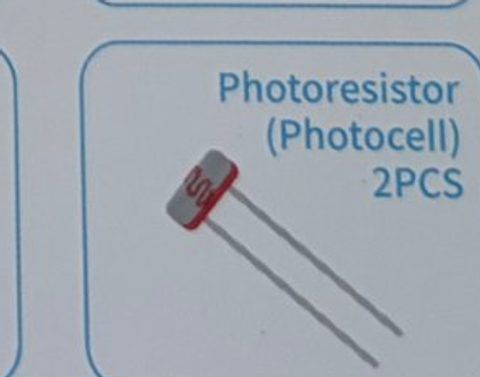


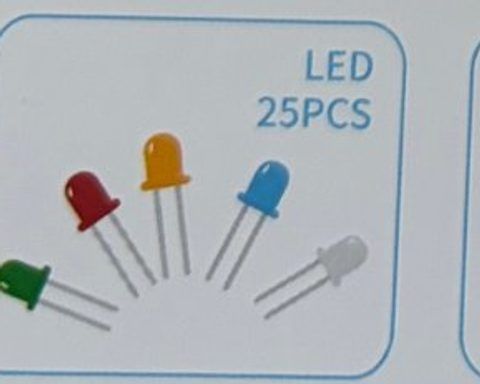

2Wire it up
The photoresistor has no + or − side. The important thing is the 10 kΩ resistor: together they form a 'voltage divider' that turns light into a voltage the Arduino can read. Resistor color bands: 220 Ω = red-red-brown, 10 kΩ = brown-black-orange.
Pins used on the Arduino
- 15V · Photoresistor leg 1
- 2A0 · Photoresistor leg 2 + 10 kΩ
- 3Pin 8 · Buzzer +
- 4Pin 13 · Resistor → LED long leg
- 5GND · 10 kΩ, buzzer −, LED short leg
- All GND pins are connected together, so any GND works.
Step by step
- 1Push the photoresistor into the breadboard, legs in two different rows (call them row A and row B).
- 2Jumper wire: row A → Arduino 5V.
- 3Put one leg of the 10 kΩ resistor in row B and the other leg in a new row (row C).
- 4Jumper wire: row B → Arduino A0. (A0 is on the analog side of the board.)
- 5Jumper wire: row C → Arduino GND.
- 6Active buzzer: + leg → pin 8, − leg → GND. Red LED: pin 13 → 220 Ω → LED long leg, short leg → GND.
Connection checklist
| From | To | |
|---|---|---|
| ☐ | Photoresistor leg 1 | Arduino 5V |
| ☐ | Photoresistor leg 2 | Arduino A0 AND one end of 10 kΩ resistor |
| ☐ | Other end of 10 kΩ resistor | Arduino GND |
| ☐ | Buzzer + leg | Arduino pin 8 |
| ☐ | Buzzer − leg | Arduino GND |
| ☐ | Arduino pin 13 | 220 Ω → LED long leg (+) |
| ☐ | LED short leg (−) | Arduino GND |
3The code
Click Copy code, paste it into a new sketch in the Arduino IDE (replacing everything), then click Upload.
// Session 2 - Light-sensor security alarm
int lightPin = A0;
int buzzerPin = 8;
int ledPin = 13;

int normalLight = 0;   // the room's light level, measured when the alarm arms

void setup() {
  pinMode(buzzerPin, OUTPUT);
  pinMode(ledPin, OUTPUT);
  Serial.begin(9600);

  // Arming: blink 3 times so you have time to take your hand away
  for (int i = 0; i < 3; i++) {
    digitalWrite(ledPin, HIGH);
    delay(300);
    digitalWrite(ledPin, LOW);
    delay(300);
  }

  normalLight = analogRead(lightPin);   // remember what "normal" looks like
  Serial.print("Armed! Normal light level = ");
  Serial.println(normalLight);
}

void loop() {
  int light = analogRead(lightPin);     // 0 = pitch black ... 1023 = very bright
  Serial.println(light);

  if (light < normalLight * 0.6) {      // light dropped by 40% or more: a shadow!
    digitalWrite(ledPin, HIGH);
    digitalWrite(buzzerPin, HIGH);
    delay(150);
    digitalWrite(buzzerPin, LOW);
    delay(150);
  } else {
    digitalWrite(ledPin, LOW);
    digitalWrite(buzzerPin, LOW);
    delay(100);
  }
}Flip the logic so a sudden BRIGHT light (someone's flashlight in a dark room) sets it off instead. Change only the if line.
if (light > normalLight * 1.5) { // 50% brighter than normal4How it works
Analog means in-between
Digital pins only know HIGH or LOW. Analog pins (A0 to A5) measure a voltage between 0 and 5 volts and give you a number from 0 to 1023. That lets us measure HOW bright, not just bright or dark.
The voltage divider
The photoresistor and the 10 kΩ resistor form a chain from 5V to GND, with A0 tapped in the middle. In bright light the photoresistor's resistance drops, so more of the 5V shows up at A0 (big number). In the dark its resistance climbs and A0 sinks toward 0 (small number).
Calibrating
Every room is different, so instead of guessing a number, the sketch measures the room when it starts and remembers it as normalLight. Then it only reacts to a change. Restart the Arduino (press its reset button) to re-arm in a new room.
normalLight * 0.6
Multiplying by 0.6 gives 60% of the normal reading. If the light is below that, it dropped by at least 40%. Change 0.6 to 0.8 for a twitchier alarm or 0.3 for a lazier one.
5Try this
- AOpen the Serial Monitor and watch the numbers as you cup your hand over the sensor. What's the range?
- BMake the alarm more sensitive (0.8) and less sensitive (0.3). Which works best in your room?
- CUse the RGB LED to show a 'light meter': blue when dark, green when medium, red when bright.
- DCombine both alarms: motion AND shadow. Can a friend sneak past?
6Stuck?
Reading is always 0 or always 1023.+
The 10 kΩ resistor is missing or in the wrong row. A0 must connect to the row that has BOTH the photoresistor leg and the resistor.
Alarm goes off immediately.+
Your hand was over the sensor during the 3 blinks. Press the reset button on the Arduino and keep clear while it arms.
Numbers barely change.+
Check you're using 10 kΩ (brown-black-orange), not 220 Ω.