The goal
Use the L293D motor driver and the power supply module to spin the fan forward, stop, and reverse.
You'll learn
- ■Why a motor can't run straight off an Arduino pin
- ■How an H-bridge chip changes direction
- ■Using the power supply module and 9V battery safely
- ■Speed control with analogWrite()
1You'll need
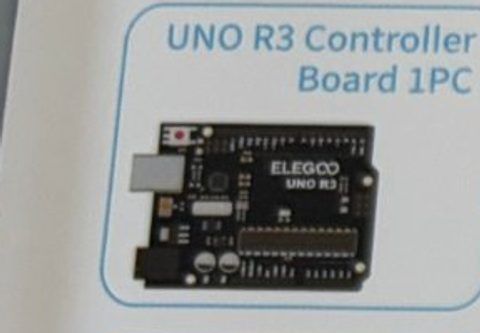
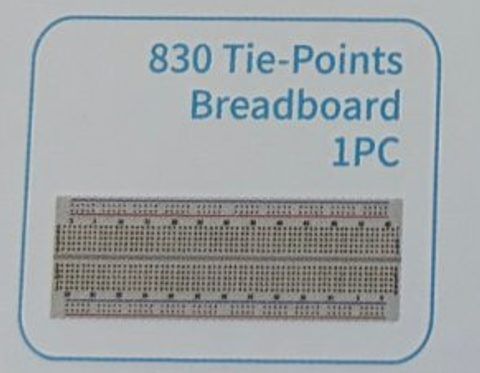

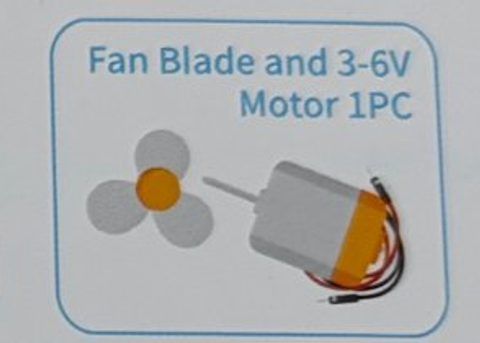
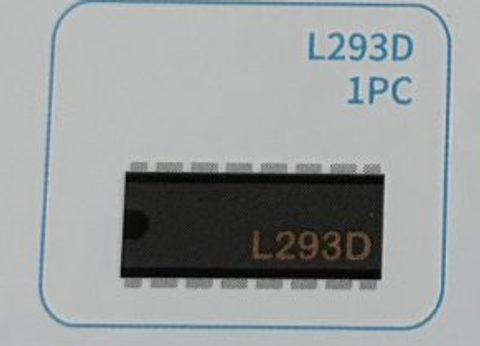
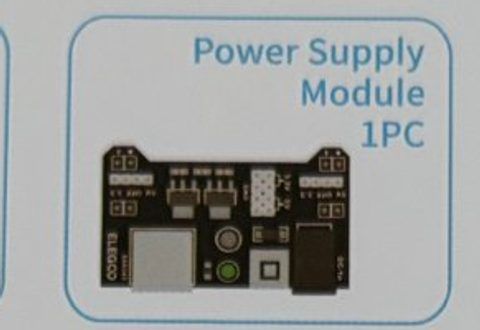

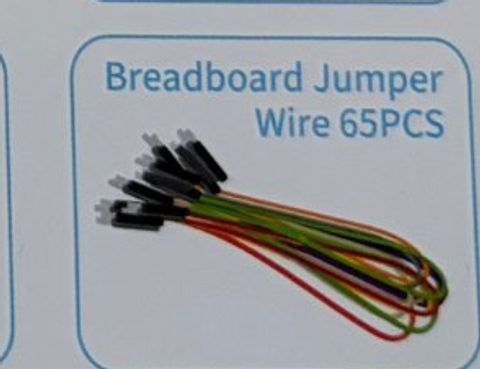
2Wire it up
Counting L293D pins: hold the chip with the little notch (or dot) at the top. Pin 1 is top-left. Count DOWN the left side 1 to 8, then UP the right side 9 to 16. Push the chip in so it straddles the gap in the middle of the breadboard.
Pins used on the Arduino
- 1Pin 5 · L293D pin 1 (Enable)
- 2Pin 3 · L293D pin 2 (Input 1)
- 3Pin 4 · L293D pin 7 (Input 2)
- 45V · L293D pin 16 (chip power)
- 5GND · Breadboard − rail (shared ground)
- All GND pins are connected together, so any GND works.
Step by step
- 1Plug the power supply module onto one end of the breadboard so its pins go into the + and − rails. Check that the module's + lines up with the red rail. Set the yellow jumper on the side you're using to 5V. Leave it OFF for now.
- 2Place the L293D across the breadboard's center gap, notch at the top.
- 3Chip power: L293D pin 16 → Arduino 5V. L293D pin 8 → the breadboard + rail (battery power for the motor).
- 4Grounds: L293D pins 4 and 5 → breadboard − rail. Arduino GND → breadboard − rail. (Everything must share one ground!)
- 5Control wires: L293D pin 1 → Arduino pin 5. L293D pin 2 → Arduino pin 3. L293D pin 7 → Arduino pin 4.
- 6Motor: one motor wire → L293D pin 3, the other motor wire → L293D pin 6. Push the fan blade onto the motor shaft.
- 7Snap the 9V battery onto its clip and plug it into the power supply module's barrel jack. Plug in the USB. Press the module's button so its LED lights up.
Connection checklist
| From | To | |
|---|---|---|
| ☐ | L293D pin 1 (Enable) | Arduino pin 5 (~) · on/off and speed |
| ☐ | L293D pin 2 (Input 1) | Arduino pin 3 |
| ☐ | L293D pin 3 (Output 1) | Motor wire A |
| ☐ | L293D pin 4 and pin 5 (GND) | Breadboard − rail |
| ☐ | L293D pin 6 (Output 2) | Motor wire B |
| ☐ | L293D pin 7 (Input 2) | Arduino pin 4 |
| ☐ | L293D pin 8 (motor power) | Breadboard + rail (from power module) |
| ☐ | L293D pin 16 (chip power) | Arduino 5V |
| ☐ | Arduino GND | Breadboard − rail |
| ☐ | Power supply module | Breadboard rails, jumper set to 5V |
| ☐ | 9V battery | Power supply module barrel jack |
3The code
Click Copy code, paste it into a new sketch in the Arduino IDE (replacing everything), then click Upload.
// Session 2 - Spin a fan
int enablePin = 5;   // L293D pin 1 - on/off (and speed)
int input1 = 3;      // L293D pin 2 - direction
int input2 = 4;      // L293D pin 7 - direction

void setup() {
  pinMode(enablePin, OUTPUT);
  pinMode(input1, OUTPUT);
  pinMode(input2, OUTPUT);
}

void loop() {
  // spin one way for 3 seconds
  digitalWrite(input1, HIGH);
  digitalWrite(input2, LOW);
  digitalWrite(enablePin, HIGH);
  delay(3000);

  // stop for 2 seconds
  digitalWrite(enablePin, LOW);
  delay(2000);

  // spin the other way for 3 seconds
  digitalWrite(input1, LOW);
  digitalWrite(input2, HIGH);
  digitalWrite(enablePin, HIGH);
  delay(3000);

  // stop again
  digitalWrite(enablePin, LOW);
  delay(2000);
}Replace loop() with this. The enable pin is a ~ pin, so analogWrite() sets the speed.
void loop() {
  digitalWrite(input1, HIGH);
  digitalWrite(input2, LOW);

  // ramp up from slow to full speed
  for (int speed = 100; speed <= 255; speed += 5) {
    analogWrite(enablePin, speed);
    delay(100);
  }
  delay(1000);

  // ramp back down
  for (int speed = 255; speed >= 100; speed -= 5) {
    analogWrite(enablePin, speed);
    delay(100);
  }
  analogWrite(enablePin, 0);
  delay(1500);
}4How it works
Pins are weak, motors are hungry
An Arduino pin can only give about 20 milliamps. The motor wants ten times that. If you wired the motor straight to a pin you'd get a stalled motor or a dead Arduino. So the pin controls a chip, and the chip controls the motor.
The H-bridge
Inside the L293D are four switches arranged like the letter H with the motor across the middle. Closing the top-left and bottom-right switches sends current one way through the motor. Closing the other two sends it the opposite way. That's how Input 1 and Input 2 pick the direction.
Two power supplies
The chip's brain (pin 16) runs on the Arduino's 5V. The motor's muscle (pin 8) runs on the battery through the power supply module. They share a ground so they agree on what 0 volts means.
Enable = gas pedal
Enable HIGH lets the motor run, LOW stops it. Using analogWrite() on Enable flickers it fast, which the motor feels as a lower average power: speed control.
5Try this
- AFind the slowest speed that still spins the fan. Why won't it start below a certain number?
- BAdd the button from Session 1 on pin 2: fan runs only while the button is held.
- CMake the fan spin forward for 2 seconds, then backwards for 2 seconds, forever (a washing machine!).
- DSpin it at full speed then set Enable LOW. How long does it take to stop? Try spinning backwards briefly to brake.
6Stuck?
Fan doesn't spin, no sound.+
Is the power module ON (its LED lit)? Is the jumper on 5V? Is the module's + pin in the red rail? Check L293D pin 8 goes to the + rail and pins 4/5 to the − rail.
Fan hums or twitches but doesn't spin.+
Weak battery, or the speed value is too low. Try digitalWrite(enablePin, HIGH) first. Push the fan blade on gently so it isn't rubbing.
Arduino keeps resetting or the computer complains about USB power.+
You wired the motor power to the Arduino's 5V instead of the power module's rail. Move L293D pin 8 to the breadboard + rail.
Spins only one way.+
Check the Input 2 wire (L293D pin 7 → Arduino pin 4).